On November 11, JetBrains published “JetBrains IDEs Transformed for the Agentic Era of Development – With Air,” by Dominique Rolink. Air ships with JetBrains IDEs 2026.3.
The post opens with a number: 49% of developers spend more than four hours a week reviewing AI output and correcting prompts, citing Atlassian’s State of Developer Experience Report 2026. The conclusion: the more agents write, the higher your personal output, and the bottleneck moves from writing code to reviewing it.
JetBrains defines Air as bringing coding agents into the environment you already work in, one place to track progress, review changes, and send feedback back. The core pitch is this line: because it runs inside the IDE, it brings the IDE’s code intelligence to you and your agents.
That line is the point. I went through the two IDEA versions on my machine to see how, exactly, the IDE’s code intelligence gets handed to an agent.
One thing that is easy to miss
The Air plugin description contains this sentence: Air connects your IDE to your agents. It ships with no agents installed.
Air only wires your IDE to an agent. It brings no agent of its own.
That sentence settles what it is. Not another AI assistant, but a patch panel.
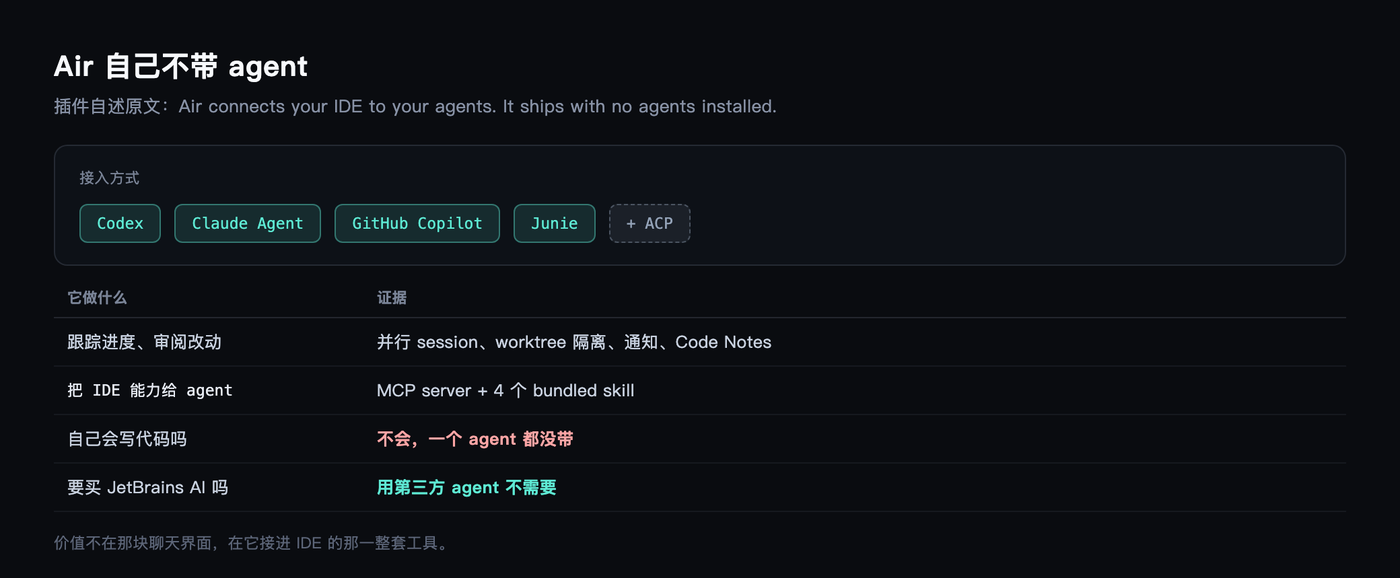 Codex, Claude Agent, GitHub Copilot, Junie — those are the appliances plugged into the sockets, over the ACP protocol, and you keep paying whoever you were already paying. JetBrains states outright that using a third-party agent does not require a JetBrains AI subscription.
So then: why does a patch panel deserve a GA release?
The answer is in the plugin directory
I have two IDEA versions installed. One is 2026.2.3, which I use daily. The other is the 2026.3 EAP I ran straight off a DMG in late October, still mounted under /Volumes.
Compare Contents/plugins across the two and the difference is plain.
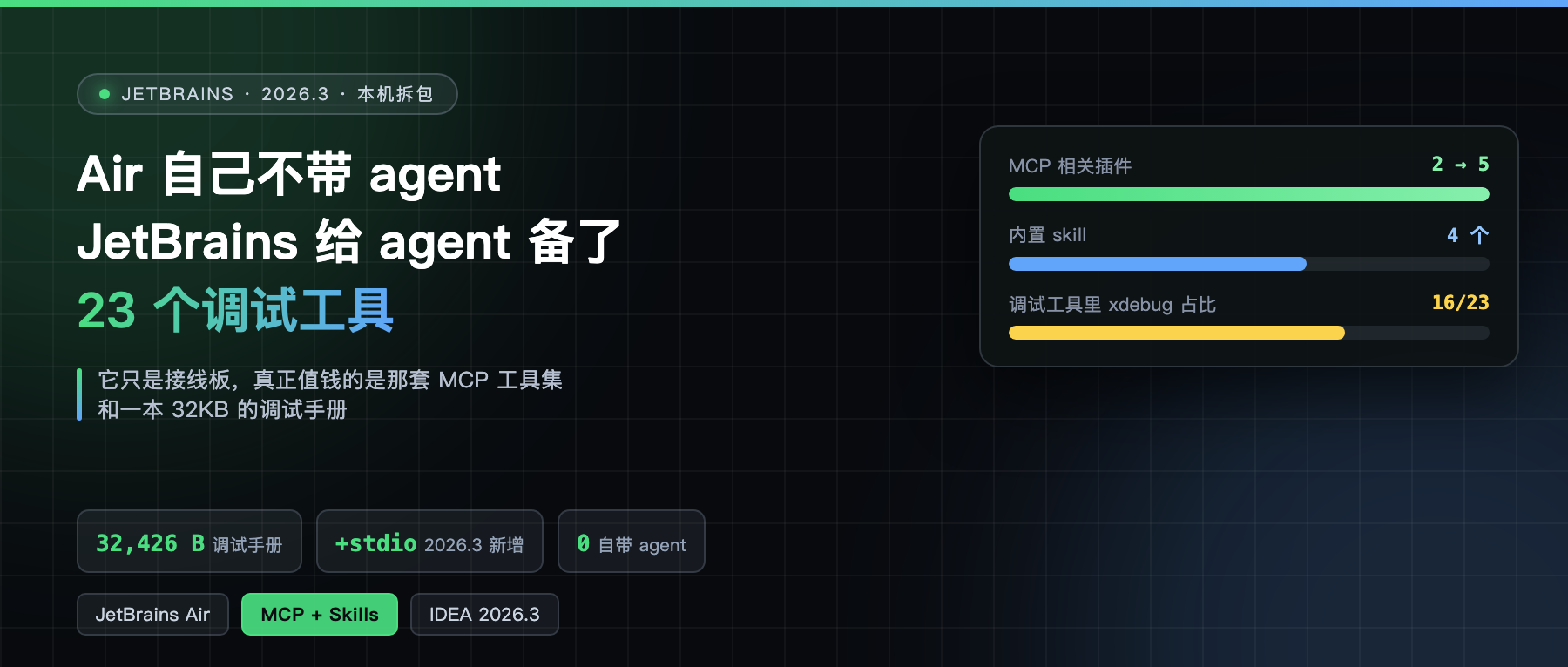
2026.2.3 has two plugins, mcpserver and debuggerMcp. 2026.3 has five: mcpserver-plugin, debuggerMcp, java-coverageMcp, java-debugger-agent-bridge, plus the new air-plugin.
In other words, the MCP foundation was already inside the IDE in 2026.2.3. Air is the dispatch desk bolted on afterwards.
The order matters. JetBrains did not build a chat window and then look for tools to connect it to. It first turned the IDE into an MCP tool set, then added the front end where agents move in.

What the MCP Server already did in 2026.2.3
The plugin.xml inside mcpserver.jar lists the capabilities: read the current file, run terminal commands, set breakpoints, search project files, and more.
Its dependencies include ktor-server-sse-jvm.jar and io.github.smiley4.schema.kenerator, which means it used SSE transport at the time and leaned on a third-party library for schema generation.
By 2026.3 those dependencies had all been swapped: ktor-server-sse.jar became the platform-wide intellij.libraries.ktor.server.sse.jar, schema generation moved to intellij.libraries.schema.kenerator.jar, and there was a new 4.7MB intellij.libraries.mcp.kotlin.sdk.jar — the official MCP Kotlin SDK.
The real functional change lives in another file: intellij.mcpserver.stdio.jar. It does not exist in 2026.2.3.
SSE is for remote clients. stdio is the standard way to connect a local process, and terminal agents like Codex CLI and Claude Code speak stdio. That single jar is what lets those terminal agents use the IDE’s capabilities through Air.

Four skills that teach an agent to use the IDE
There is another layer outside the plugins, tucked under ai-agent-extensions/agents/.agents/skills in the cache directory. This 2026.3 EAP has four enabled:
ij-debugger, from IDEA, owner listed as IJPL Profilers & Debuggerscommand-monitor, from Codex monitoringdatabase-connection-management, from DataGripdatabase-text-to-sql, also from DataGrip
Each is a standard agent skill: a SKILL.md plus metadata.json, which records the version and a sha256. A .intellij-bundled-skill marker file flags it as shipped by the IDE.
These are the built-in skills JetBrains mentions. Once an agent connects it is not groping in the dark — the IDE hands it a manual.

ij-debugger is a 32KB manual
The heaviest of the four is ij-debugger. Its main file, SKILL.md, is 32,426 bytes, and it comes with separate documentation for 23 tools, each 2 to 8KB.
The tools fall into three groups. The JVM group has five: jvm_debug_set_method_breakpoint, jvm_debug_set_exception_breakpoint, jvm_debug_list_method_breakpoints, jvm_debug_list_exception_breakpoints, jvm_debug_get_thread_dump. Run configurations are two: get_run_configurations, execute_run_configuration.
The remaining large group is xdebug_*, sixteen of them. Set breakpoints, attach to a process, control execution, evaluate expressions, read stack frame values, change variable values, run to a line, list threads, get process output.
xdebug is PHP’s debugging protocol. So this debugger manual filed under IDEA spends more than half its length teaching an agent to debug PHP. The reasonable explanation is that the skill serves both IDEA and PhpStorm, and just kept the ij prefix.
The debuggerMcp plugin description explains where these tools come from: it provides “a full-featured debugging experience” built on the IntelliJ Platform debug API, covering breakpoints, tracepoints, stepping, stack inspection, value reads and expression evaluation.
So the tools are not a wrapper. The breakpoint an agent sets is the breakpoint you set in the IDE — same platform API underneath.

The most practical section is about quotation marks
SKILL.md opens with Invocation Mode, and it is strict: check whether execute_tool exists, use only that if it does, call the underlying handle directly only if it does not, and never mix the two within one task.
Then come the argument rules, listed one by one: every parameter must carry a value, bare flags are unsupported, and booleans must be written explicitly as true or false.
The most interesting one: values containing spaces or operators must be quoted, which covers expressions almost always. The router splits commands on whitespace, so an unquoted multi-word value becomes extra arguments, and the error looks like this:
Invalid argument format: '+'. Expected '--paramName value' format
The manual gives two worked examples, --expression 'user.getName().trim()', and switching to double quotes outside when the expression itself contains single quotes, with an explicit note not to JSON-encode the top-level expression argument.
This is not documentation for newcomers. It is documentation for a model that trips over the same edges — written, evidently, by working backwards from real failures.
command-monitor serves one agent only
The other manual is even pickier. The first line of command-monitor reads “Run long commands, tests, builds, and watchers in Codex.” Codex, and nothing else.
It is permitted only when Full access is on, judged by whether sandbox_mode in the current permission description is danger-full-access; both workspace-write and read-only count as off. It also forbids requesting Full access just to use the monitor.
The usage notes are detailed: monitor_start(command, cwd) starts it, unlimited by default, or bounded via deadline_seconds from 1 to 3600. Launching a server or watcher means passing it as the command itself, no & or nohup, because the monitor reaps background children when the command exits.
The wait strategy backs off: timeout_seconds=30 first, then doubling — 30, 60, 120 — and fixed at 240 afterwards. Each result carries at most 16KB of new output.
The manual even teaches the agent how to call tools from JS, down to annotations like // @exec: {"yield_time_ms": 250000}, and notes that omitting the line makes the cell return after 30 seconds.
What is free, and what disappeared
The free tier gets one short section: Junie’s Lite configuration is free, sign in with a JetBrains account, no AI subscription needed. Code completion keeps working as before and does not consume JetBrains AI quota.
On the other side, AI Assistant is still there as a standalone plugin, supported into early 2027. If Air displaces it after your upgrade, double-tapping Shift and searching Open AI Assistant brings it back.
Air itself can be turned off — disable it in Settings under Plugins and restart. The option is quietly phrased: as the person in the driver’s seat, you decide whether to use it and how much.
My read
The genuinely valuable part of this GA is not in the UI.
On the UI side, Air offers parallel sessions, worktree isolation, notifications, presets and Code Notes annotations. Every other tool has some version of those.
What is worth money is the MCP tool set and the skills. 2026.2.3 had already turned the IDE into callable tools. 2026.3 added stdio so terminal agents could connect too, then added Air as the front end. Three steps, and an agent running inside Claude Code now drives the same debugger, the same refactors and the same database connection as you do by hand in the IDE.
One small detail: the post admits a gap in worktrees. Worktrees the agent creates itself cannot yet be tracked in Air, and JetBrains says that is in progress.
If you are already a heavy IDEA user, what this changes is that the agent stops being “another window” and becomes “a session inside the IDE.” If you run agents elsewhere, the MCP server is worth a look — hook the IDE up and try it. That foundation has been sitting there since 2026.2.3. Nobody just told you.