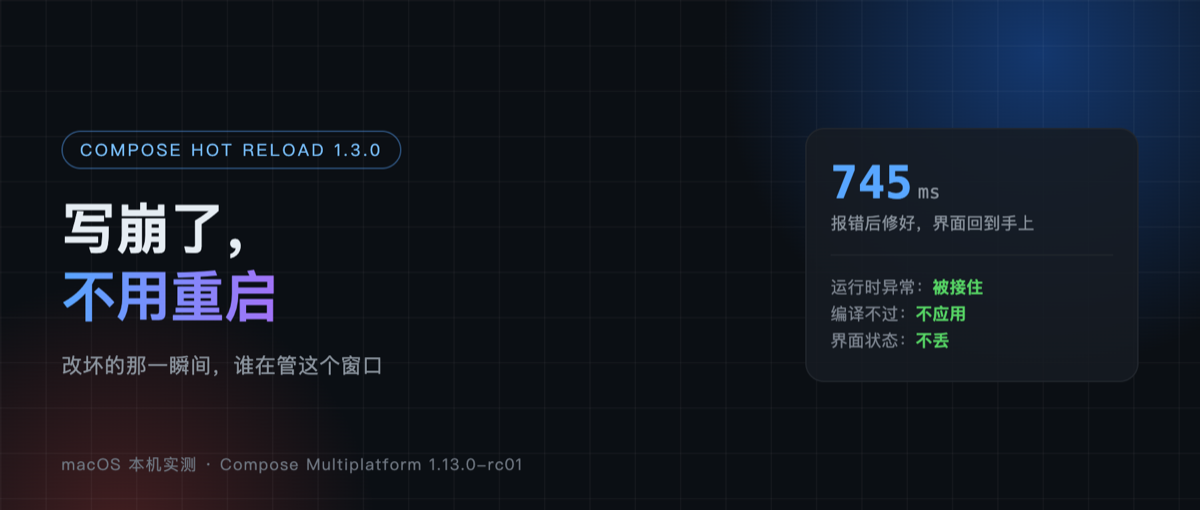
I typed a single error("breaking it on purpose") into a small desktop window I built myself, saved, and then sat watching the screen to see it blow up.
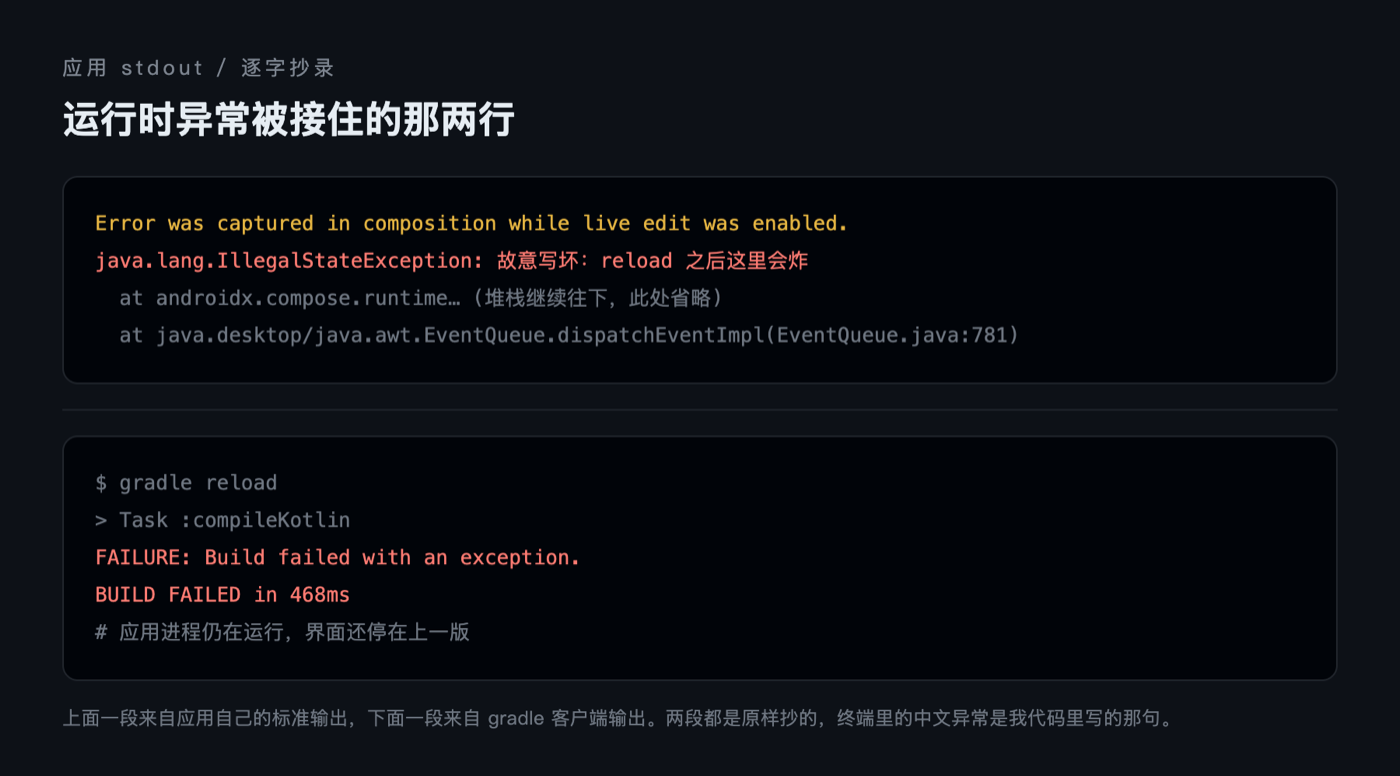
It blew up. The text in the window vanished, replaced by a wall of red, and the console spat out Error was captured in composition while live edit was enabled. followed by the Chinese exception message I had written. The process did not exit, and the window did not close.
A year ago this was impossible. When hot reload hit a runtime exception, the best case was being stuck on half an old UI, and the worst case was the whole process going down with it, leaving you to re-run the application and click your way back to the state you had. Compose Hot Reload 1.3.0 changed how that ending works. It landed on Maven Central on November 20, the project’s first stable release.
This Compose Multiplatform release changed exactly one thing
The version relationships first, otherwise the numbers will not line up.
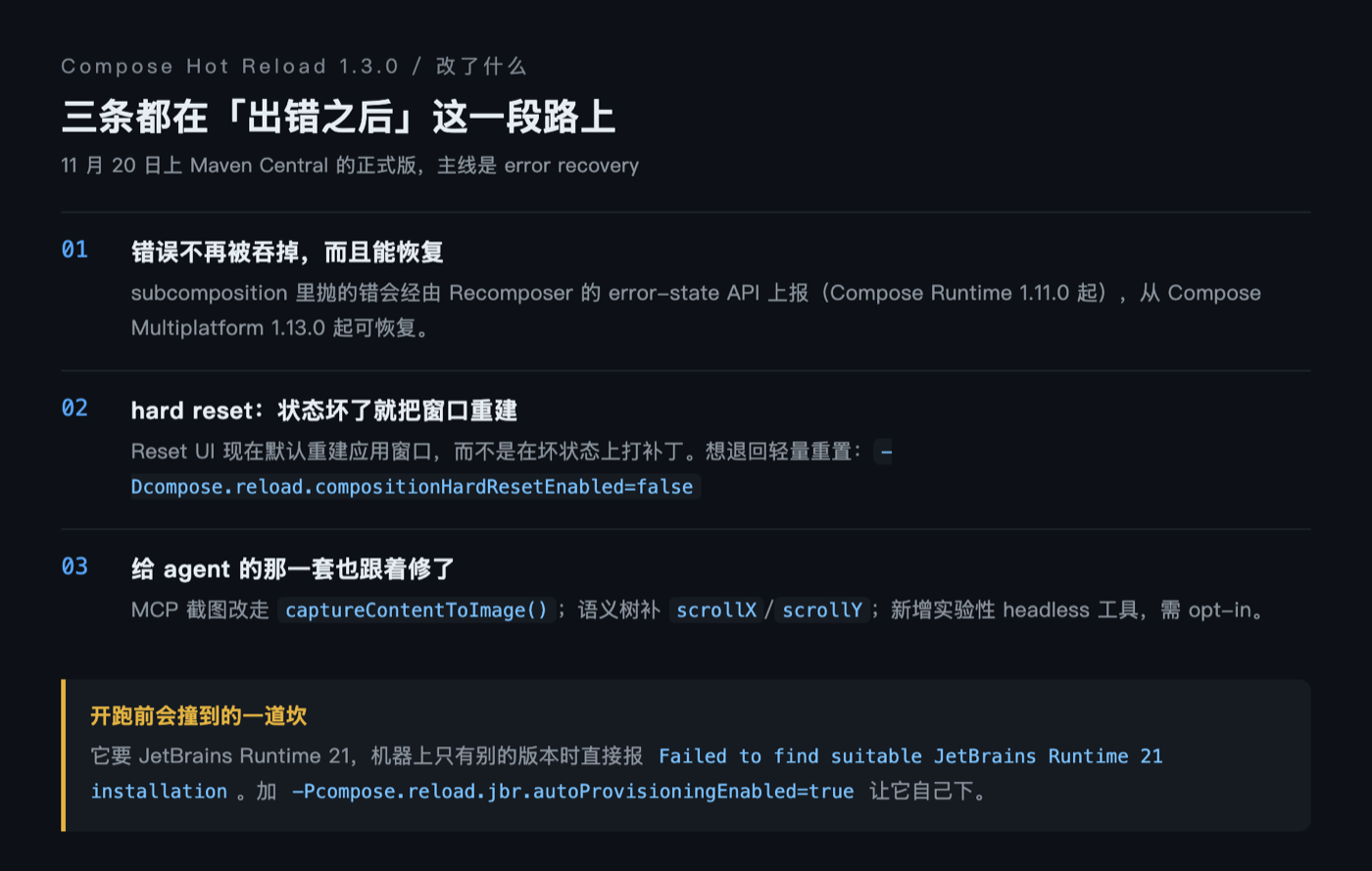
Compose Multiplatform 1.13.0-rc01 was tagged on November 18, and its entire feature list on the desktop side is one line: bump Compose Hot Reload to 1.3.0-rc01. Everything else is fixes, things like font caching, memory leaks and measureAndLayout crashes. Two days later hot reload shipped its own stable release.
So the thing worth looking at this round is hot reload itself. Its 1.3.0 release notes put the theme on the first line: error recovery. Once you break something, it has to work out what broke, say how it broke, and come back on its own the moment you fix the source.
Three ways to break it, three different endings
I tried all three ways on the same project, and they do not end the same.
| How it breaks | Compile | UI | What you do |
|---|---|---|---|
| Compiles, throws at runtime | Passes, 514ms | Error overlay takes over, process alive | Fix the source and save |
| Does not compile | Fails, 468ms | Stays on the previous version | Get it compiling |
| Fixed again | Passes | New version takes over | Nothing |
The second one is the easiest to mistake for a non-event: on a compile failure hot reload simply does not apply, so you see the last successful UI rather than a half-broken state. Its refusal is blunt as well. gradle reload returns BUILD FAILED, the application keeps running, and not one byte is swapped.
The first one is the one that matters. Previously that kind of error was either swallowed, leaving the UI frozen on the frame before the crash, or it took the whole composition down with it. Now the error is caught and reported at the composition layer, the overlay gives you the exception type and stack trace, and the window survives.
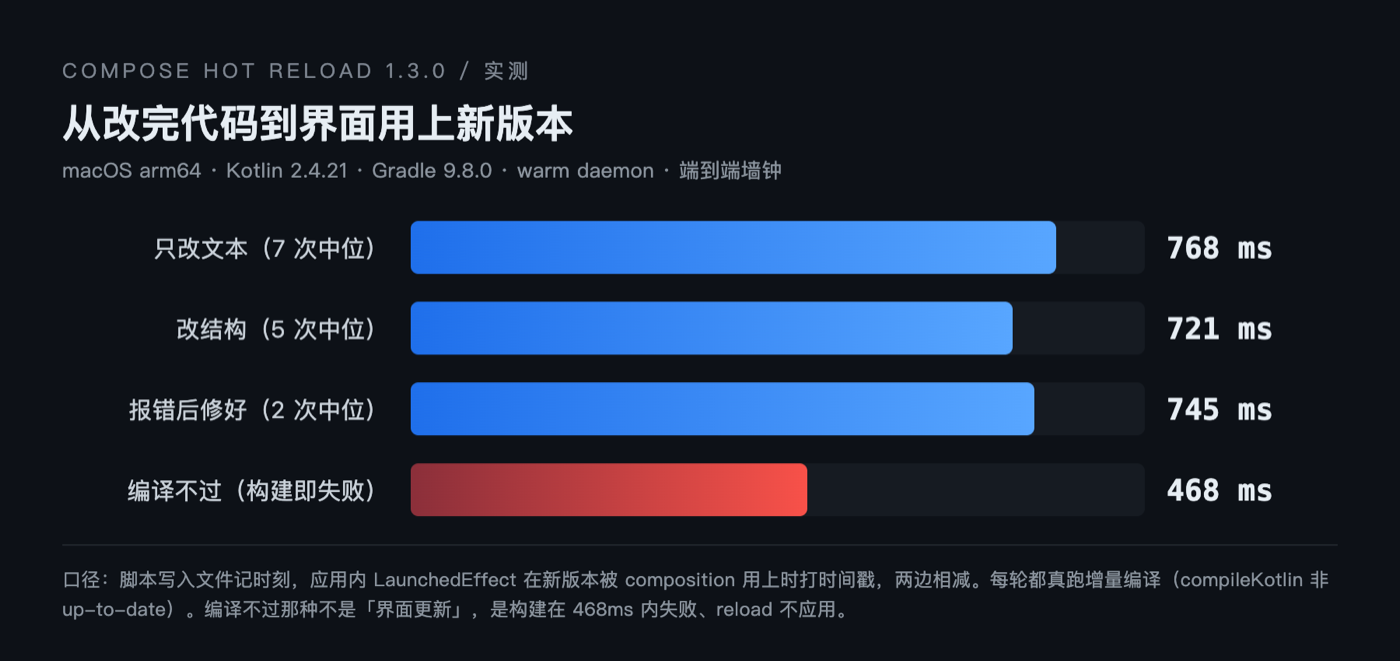
From edit to visible new UI, measured a few times
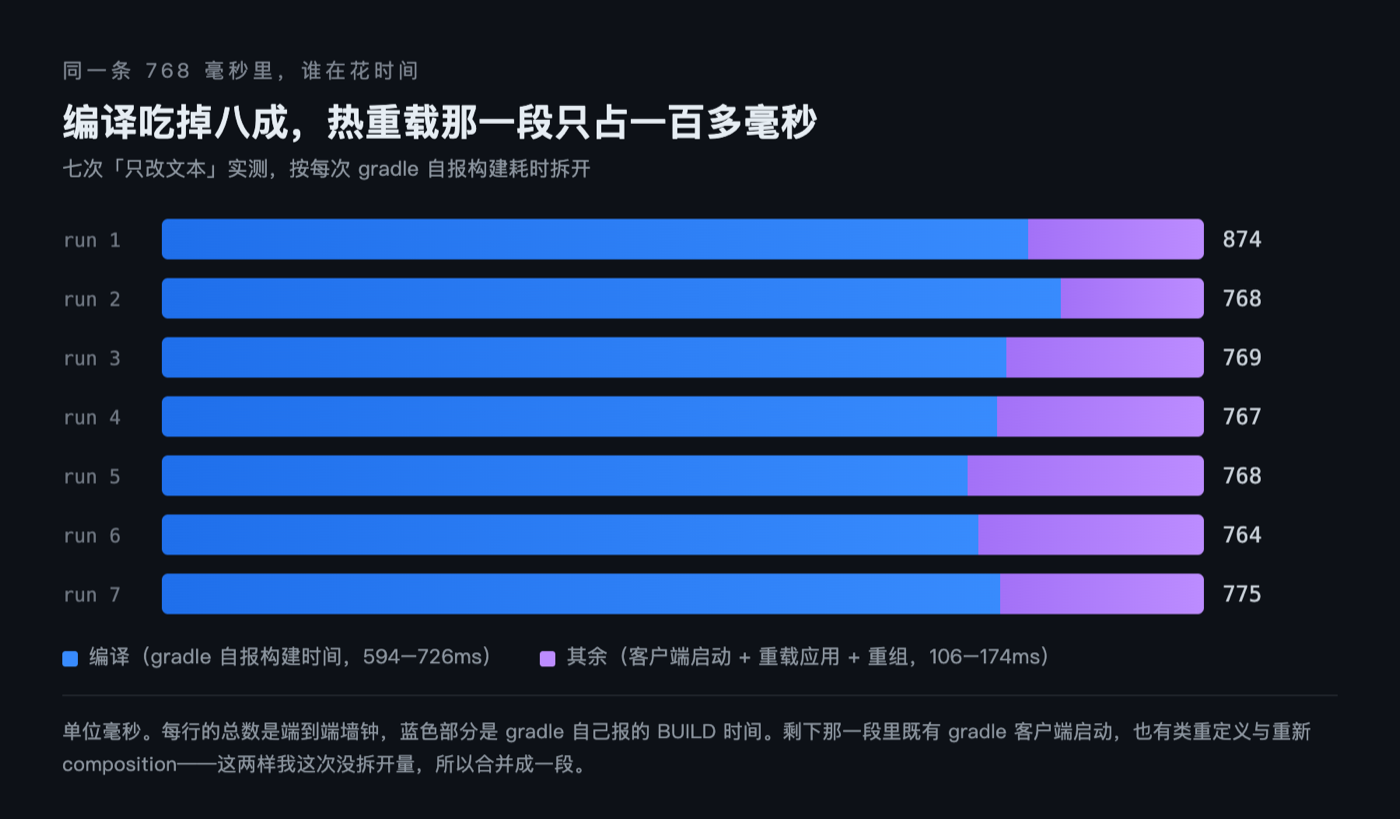
The timing definition is end to end: a script writes the file and records the moment of the write, a LaunchedEffect inside the application stamps a line into a file each time a new version is actually consumed by the composition, and the difference between the two is the wall-clock time from edit to visible result. Every run triggered a real incremental compile rather than a cache hit.
| Scenario | Runs | Median |
|---|---|---|
| Text only (leaf node) | 7 | 768ms |
| Structural change (insert a Button) | 5 | 721ms |
| Fixed after an error | 2 | 745ms |
All three medians land around 750 milliseconds, which is not the same order of magnitude as the “200 milliseconds hot reload” I had read elsewhere. The difference is not in hot reload itself, it is in compilation: the build time gradle reports for itself falls between 528 and 726 milliseconds, and a Kotlin file where only a string constant changed still goes through a full compile and class load. What hot reload saves you is restarting the application and rebuilding state. It cannot save you the compilation.
That 200 milliseconds refers to the class redefinition plus recomposition on the application side, and does not include the compilation that happens before you hit save. Being clear about that definition is more useful than quoting a better-looking number.
How it rescues the UI
The release notes give the mechanism a name: the Recomposer error-state API, which has existed since Compose Runtime 1.11.0, though errors only become recoverable from Compose Multiplatform 1.13.0. Both versions have to line up before an error thrown in a subcomposition counts as catchable and recoverable.
The other piece is the new hard reset. Once the state has been mangled by a bad reload, it rebuilds the application window outright rather than patching on top of a broken state. That is now the default behaviour of Reset UI, and you can fall back to the lighter reset by adding -Dcompose.reload.compositionHardResetEnabled=false.
Rebuilding the window sounds heavy-handed, but it solves a real problem. What hot reload fears is not the error report, it is the inconsistent state left behind afterwards, where the UI looks fine and nothing you click does what it should.
A few things fixed along the way
1.3.0 also changed three things on the agent side, worth noting. The MCP take_screenshot now goes through Compose Desktop’s own captureContentToImage() instead of borrowing AWT’s Robot to grab the screen, which is more accurate on Compose Multiplatform 1.13.0.
Scrollable nodes in the semantics tree gained scrollX/scrollY, so an agent can finally tell where a list has been scrolled to. On top of that there is a set of experimental headless tools that run a UI in a windowless session, available only on opt-in.
The barrier is in front, not in the features
Trying it yourself means hitting a wall that has nothing to do with features: it wants JetBrains Runtime 21. My first bare run failed with Failed to find suitable JetBrains Runtime 21 installation on your system.
The only JBR on my machine is the 25.0.3 that ships with Android Studio, and the version does not match. Turning on automatic provisioning (-Pcompose.reload.jbr.autoProvisioningEnabled=true) had it pull JBR 21.0.10 by itself.
Once past that barrier the experience is one sentence: edit, save, see it within eight hundred milliseconds.
My read is that the value of this line of work is shifting from fast to unbreakable. There is a ceiling on the payoff of getting down to 200 milliseconds, since the eye cannot tell 200 from 400. Whether it can get back on its feet after a crash is what decides whether you dare leave it running while you edit code in a real project.
Following that thought: if an agent eventually edits code, triggers a reload and judges whether the UI broke, all by itself, then those headless tools and the semantics tree matter more than speed.
Do you leave hot reload on all the time, or only try it in small demos? If you run it in a main project, say so in a reply and I will put together the potholes you have hit into the next piece.